Reviews
Exploring the Smart Case Era: JBL Tour Pro 2 Review


JBL Tour Pro 2 redefines earbud innovation with a touchscreen charging case, offering easy access to settings. , These true wireless earbuds boast sound customization options and advanced features, though some may question the balance between features and cost.
Design

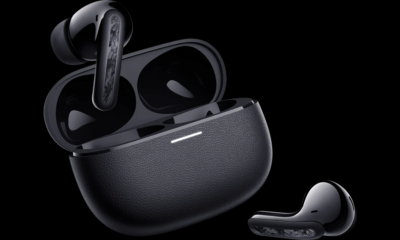
JBL’s Tour Pro 2 earbuds, positioned between traditional and sport models, adopt a design reminiscent of Apple’s AirPods. Featuring a refined look with a blend of matte and gloss black plastic, these earbuds showcase an ovular inner shape, akin to the AirPods Pro. With its ergonomic curves and lightweight build, the Tour Pro 2 ensures a comfortable fit, allowing extended wear without discomfort. The touch panels on both earbuds support various controls, customizable through the JBL Headphones app. However, the standout feature is the’smart case,’ boasting a touchscreen for enhanced functionality. Unlike standard charging cases, this one goes beyond basic charging, offering wireless charging capability and a USB-C port for wired top-ups. The case’s larger size accommodates these additional features without being overly bulky.
Software and Design

The Tour Pro 2 impresses with a plethora of features accessible through the JBL Headphones app and the charging case display. The app guides users through initial setup, including ear tip fit, ANC performance tests, and voice assistant setup. Battery status for each earbud and the case is prominently displayed, with additional features available via scrolling. Ambient Sound Control offers choices like ANC, transparency mode, TalkThru, and off, along with customization options. Personi-Fi, JBL’s personal audio profiles, adjust the sound based on a hearing test and listening preferences. While providing a broader soundstage, some detail may be lost. Sound options include audio presets, manual EQ adjustments, and spatial sound for movies, music, and games. Gesture controls, including VoiceAware, SilentNow, and Personal Sound Amplification, enhance the user experience, allowing customization and scheduling for various modes.
Smart Case

The primary function of the smart case is to provide convenient access to the Tour Pro 2’s features. While the debate about placing controls on the charging accessory instead of the app continues, the touchscreen on the case proves to be effective. Navigating through various options with side-to-side swipes and responsive taps, the case displays battery levels, a clock, and useful icons on the top edge for quick information. During calls, relevant controls also appear on the case. The JBL Headphones app allows customization of the smart case, including adjusting display brightness, selecting screensavers, enabling message notifications, and choosing accessible features on the touchscreen. Default options include ambient sound control, spatial sound, EQ presets, VoiceAware, and auto play/pause. Additional features like SilentNow can be added to the case but are not enabled by default.
Sound Quality and Noise Cancellation

The default sound tuning on the Tour Pro 2 is adequate, offering decent clarity and detail with a focus on the midrange. However, the soundstage may feel compressed despite notable bass and treble elements. Tracks like ’30 Under 13′ and ‘$20’ lose some depth, leaving room for improvement. Although Personi-fi helps open up the sound profile, it comes at the expense of lost detail, affecting the texture of vocals and instruments. The lack of space in the sound profile is evident in recordings like Nickel Creek’s ‘Celebrants,’ where the virtual room’s ambiance is diminished. Despite various audio customization options in the JBL app, improvements are limited, with some settings potentially worsening the sound. Spatial Sound’s effectiveness varies by genre, sometimes offering an immersive experience, but for certain content, it may simply relocate the sound without enhancing it. In many cases, leaving spatial sound off is the preferred option.
Battery

JBL promises up to eight hours of battery life with ANC on and an additional three charges in the case. With ANC off, you could get two extra hours on both the earbuds and per charge in the case. In ‘normal’ use tests, including a mix of ANC, transparency mode, calls, and automatic power-off, seven hours were achieved before docking in the case. However, battery estimates on the case may not be entirely accurate, leading to unexpected drains. The case offers a 15-minute quick-charge tool, providing up to four hours of use. Compared to the Sony WF-1000XM4, considered the best premium true wireless earbuds, the Tour Pro 2 packs numerous features, but the smart case concept is debatable. While offering convenient access to settings, it may not be practical unless left on a desk. Despite features like VoiceAware, SilentNow, and Personal Sound Amplification, the Tour Pro 2 presents as an average set of earbuds with satisfactory sound, decent ANC, and a plethora of features that may not all be regularly used.
In Summary
The JBL Tour Pro 2 is a feature-packed set of true wireless earbuds with a unique selling point being its “smart case” equipped with a touchscreen display. Despite the ambitious inclusion of numerous features like VoiceAware, SilentNow, and Personal Sound Amplification, the earbuds offer average sound quality with a compressed soundstage. The ANC performance is decent, and the battery life falls slightly short of the advertised estimates, with a 15-minute quick-charge option available. The concept of a touchscreen-enabled case is debatable, as its practicality depends on leaving it on a desk for easy access. In comparison to competitors like the Sony WF-1000XM4, the Tour Pro 2 lacks some advanced features and may be considered an average option in the premium true wireless earbud market.